
Somewhere along the way, opening a code playground started to feel like launching a spaceship. You wanted to test five lines of HTML, and instead you got a login wall, a trending feed, three upsell banners, and a spinner while half a megabyte of interface loaded. If that friction sounds familiar, you’re not alone, and you’re exactly why the search for a CodePen alternative has quietly become such a common developer search.
This guide compares CodePen with JSFiddle and HTML Display, then lists other CodePen alternatives worth bookmarking. Let’s be fair and thorough about it, because CodePen didn’t earn its dominance by accident.
Table of Contents
How We Got Here: A Short History of Code Playgrounds
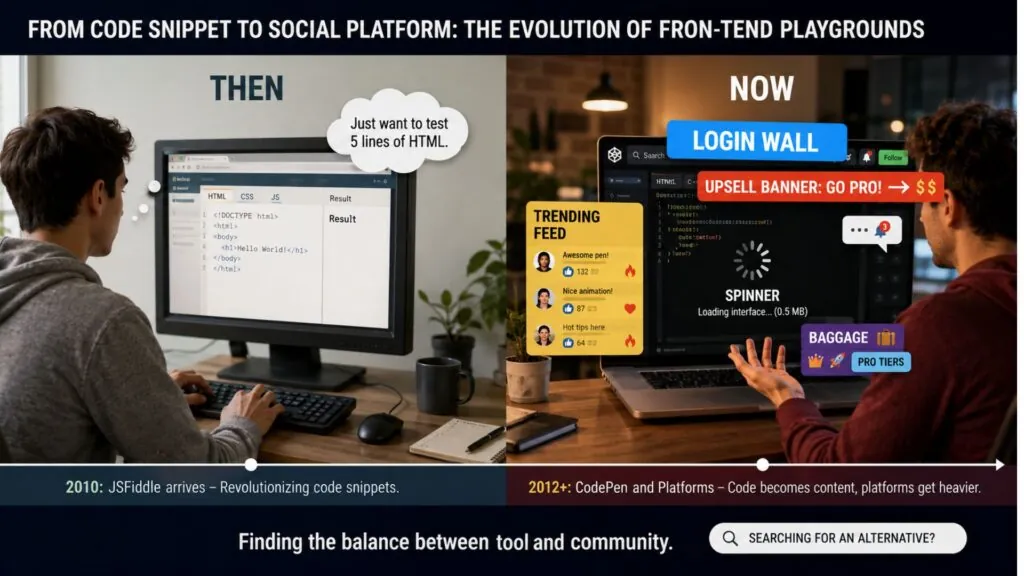
JSFiddle arrived first, launching in 2010 (it began a year earlier as MooShell), when testing a snippet meant creating local files and refreshing your browser like a caveman. It was revolutionary. CodePen followed in 2012 with a sharper idea: make front-end code social. Pens, collections, follower counts, weekly challenges. It turned code snippets into content, and for an entire generation of front-end developers, a polished CodePen profile became a second resume.
That social layer is precisely the point. CodePen isn’t just a tool; it’s a platform. And platforms accumulate weight: accounts, notifications, pro tiers, editorial features. None of that is wrong. But it means the simple use case, “I have some HTML, show me what it does,” now carries a lot of baggage it never asked for.
The Three Contenders, Honestly Compared
Full transparency: HTML Display is our tool. But the comparison below sticks to observable facts, and the takeaway is genuinely “different tools for different jobs,” not “ours wins everything.”
| Criteria | CodePen | JSFiddle | HTML Display |
|---|---|---|---|
| Account required | To save Pens | Optional | Never |
| Interface weight | Heavier | Moderate | Lightweight |
| Social features | Extensive | Basic | None |
| Frameworks (React, Vue…) | Yes | Yes | No, vanilla only |
| Privacy (code stays local) | No, cloud | No, cloud | Yes, 100% local |
| Where code is saved | CodePen servers | JSFiddle servers | Your browser only |
| Best for | Showcasing work | Sharing bug repros | Fast private testing |
Three profiles emerge clearly, and the right CodePen alternative depends on which one you need.
CodePen is a portfolio. If you’re building a front-end career, showing off CSS art, or teaching, its social reach is unmatched. More than a decade of community means almost any effect you can imagine already exists as a Pen to learn from.
JSFiddle is a workbench for collaboration. It remains the quiet standard for sharing bug reproductions on Stack Overflow and GitHub issues. Its panel layout and framework presets make it ideal for “here’s a minimal example of my problem” moments.
HTML Display is a scratchpad. No account, no feed, no telemetry on your code. You open it, you type, you see the result live, it auto-saves in your own browser. When students ask “where do I just try HTML?”, this category of tool is the honest answer.

The Privacy Angle Nobody Talks About
Here’s a detail that got more relevant in recent years: where does your code actually go?
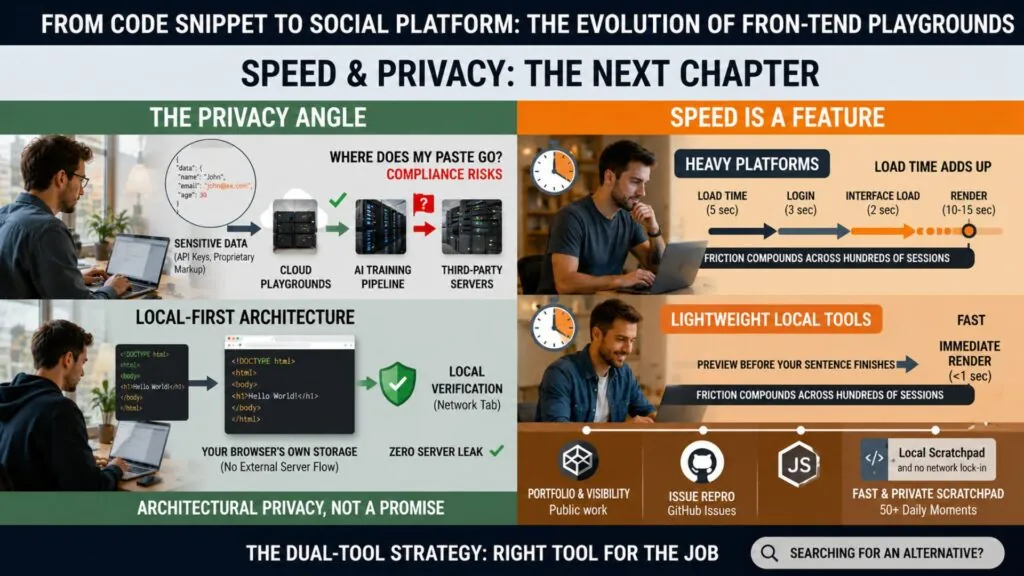
On cloud playgrounds, the code you save lives on someone else’s servers. For CSS animations, who cares. But developers routinely paste things they shouldn’t: API snippets with keys still inside, proprietary markup from work projects, client code under NDA. In 2026, with companies increasingly jumpy about code leaking into third-party platforms and AI training pipelines, “where does my paste go” stopped being a paranoid question and became a compliance one.
Local-first tools sidestep the issue entirely. When the editor stores everything in your browser’s own storage and never transmits it, there is no server to leak from. That’s not a marketing line; it’s an architecture decision, and it’s verifiable in your browser’s network tab.
Speed Is a Feature, Not a Detail
There’s a reason developers keep a terminal open instead of clicking through GUIs: friction compounds. A tool you use twenty times a day gets judged on seconds.
Try this experiment. Time the journey from “I want to test this snippet” to “I can see it rendered” on each platform. On heavy playgrounds, between load time and interface, several seconds pass before you see anything. On a lightweight editor, the preview updates before you finish reading this sentence. Multiply that difference across a semester of learning or a year of debugging, and the “small” tool stops looking small.
That’s also why the answer to “which editor is best” is honestly: probably two of them. Keep a portfolio on CodePen if visibility matters to you. Use JSFiddle when a GitHub issue demands a repro. And keep a fast, private scratchpad in your bookmarks for the fifty daily moments that need neither an audience nor an account.
Other CodePen Alternatives Worth Knowing
If none of the three fits, these tools cover different needs:
- StackBlitz: runs full Node.js projects (React, Vue, Angular, Vite) directly in the browser. The best CodePen alternative when you need a real project with npm packages.
- CodeSandbox: cloud development environments for complete apps, with collaboration and GitHub integration. Great for teams, heavier for quick tests.
- JS Bin: an open-source classic for fast HTML, CSS and JavaScript experiments, with a minimal interface similar to JSFiddle.
- Your own editor plus a browser: VS Code with Live Server is still the fastest option once you work on multi-file projects offline.
So Which One Should You Open Tomorrow?
Pick by intent, not by habit. Showcasing? CodePen, no contest. Collaborating on a bug? JSFiddle earns its keep. Learning, experimenting, or testing something you’d rather keep to yourself? A lightweight editor wins on every metric that matters for that job.
CodePen Alternative FAQ
What is the best free CodePen alternative?
It depends on the job. JSFiddle is best for sharing bug reproductions, StackBlitz for full framework projects, and a lightweight local editor like HTML Display for fast, private HTML, CSS and JavaScript tests without an account.
Is CodePen free?
Yes, CodePen has a free plan for creating and saving public Pens. Paid Pro plans add features such as private Pens and asset hosting.
Can I use a code playground without an account?
Yes. JSFiddle lets you run and save fiddles without signing in, and HTML Display never asks for an account because your code stays in your own browser.
Is my code private on online code editors?
On cloud playgrounds, saved code is stored on the provider’s servers, and public by default on many of them. If you test code from work or code containing keys, use a tool that keeps everything in your browser, or remove sensitive values first.
Final Thoughts
The playground wars have no single winner, and that’s actually good news: it means the ecosystem matured enough to specialize. The real loser is the old reflex of forcing every task through one heavyweight platform. If you’ve never tried the minimalist route, spend two minutes with our free online HTML editor with live preview and notice how different instant feels.
Which side are you on: one playground for everything, or the right tool for each moment?